🐀 0 pts earned

Bootleak

Premium Machine (Locked)

Bootleak's network boot server was set up to provision diskless clients in a lab that no longer exists. The server outlived the lab. It still serves. It still responds. It has no idea it shouldn't.

Machine retired — decommissioned
Target IP Premium required
User Flag Pending
Root Flag Pending

Community

Community Hints

Grade A · 1000 pts Grade B · 700 pts Grade C · 400 pts Grade D · 200 pts + 150 credits on accept

Short, stage-specific nudges — directional, spoiler-light, no exact commands.

No community hints yet — be the first to add one!

Community

Community Walkthroughs

Grade A · 2500 pts Grade B · 1750 pts Grade C · 1000 pts Grade D · 500 pts + 300 credits on accept
hac_king D 11 Jun 2026

Enumeration.

Start with nmap. First try with your own style (nmap -p- -sV -sC --script=vuln -O --min-rate=5000 <ip>)
For direct you can go with the default provided ports nmap -sV -p 30321,30322,30880 <ip>

You will get the 30321 which is (21), 30322 which is (22) and 30880 which is (80) port number.

Check if you can login to the ftp with anonymous user. And luckily you can and then you will find the pub directory containing network.conf file.

This file can be downloaded from ftp itself or if you also check the port 30880 port is a web server you will have that file there too.

Foothold

This network.conf file has the username and password for ssh. It also have DNS configuration if you do not what to remember IP address every time.

Once you login to that user you will get the user flag.

Privilege Escalation

Basic finding you would first check for privesc is to see what commands are allowed to be running as root privilege without any password. You can check with sudo -l.

It returns the find command is executable as root without any password.

So command like sudo find -exec cat /root/root.txt \; you will get the root flag.

Or if you want to list the files in /root directory sudo find -exec ls /root \; you will see the flag file.

mahnoor27 C 14 May 2026

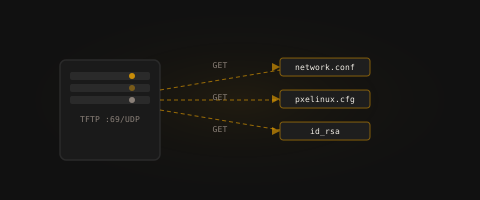
Initial scan revealed exposed services including TFTP/FTP-like boot service, SSH, and HTTP.
nmap -sV -p 30321,30322,30880 139.144.161.161
Anonymous access allowed retrieval of boot configuration files from the service.
tftp 139.144.161.161
get config
Extracted configuration revealed sensitive system parameters and credentials used for SSH access.

User flag obtained after login.

Privilege escalation achieved by inspecting system misconfigurations and leveraging elevated sudo permissions or service misconfiguration (as per lab design), resulting in root shell access.